How to Check an Ex-UK Laptop Before You Buy: Checklist
Most problems with a refurbished laptop can be found in 20 minutes if you know where to look. This checklist is written for buyers in Kenya, whether you are buying from us, a shop on Luthuli Avenue or a seller on Jiji. Take a flash disk, your phone and this page with you.
What "ex-UK" actually means
"Ex-UK" usually means a business laptop that a company in the UK or Europe leased for three to five years, then returned. They are imported in bulk, cleaned, tested and resold. Good ex-UK stock is excellent value because business models like the HP EliteBook, Dell Latitude and Lenovo ThinkPad were built to last. The risk is in what happens between import and sale: some sellers swap batteries, screens or SSDs for cheaper parts, and a few sell laptops that are still locked to their old company.
Two things are normal and not a defect: many ex-UK laptops have a UK keyboard layout (the @ and " keys are swapped compared with US layout, and the Enter key is taller), and some have light marks on the lid.
Before you go: check the model and serial number
- Ask for the exact model (for example "EliteBook 840 G6") and the serial number or Dell service tag.
- Enter the serial number on the manufacturer's warranty or support site. It shows the original model and often the original processor. If the site says the laptop shipped with a different processor or model, walk away.
- Look up the original specifications in HP QuickSpecs, Lenovo PSREF or Dell's support page so you know what ports and options the model should have.
The 20-minute checklist
1. Body and hinges
- Open and close the lid several times. The hinges should be firm and the screen should stay where you leave it.
- Look for cracks near the hinges and screws, and for a bulging bottom panel or a trackpad that sits higher than usual, which can mean a swollen battery. Do not buy a laptop with a swollen battery.
2. BIOS: passwords and tracking locks
- Restart and enter the BIOS: F10 on HP, F2 on Dell, F1 on ThinkPads. If it asks for a password, do not buy it. A supervisor password from the previous company can block updates, boot options and even Windows reinstallation.
- Find the Absolute Persistence Module (often still called Computrace) under the Security menu. If it shows as activated or permanently enabled, the laptop may still be tracked by its old owner's software. Ask the seller to explain, and if in doubt, skip it.
- Check the serial number shown in the BIOS matches the sticker underneath. A mismatch means the motherboard was replaced.
- Confirm the processor in the BIOS matches what you are being sold. A "Core i7" sticker on the palm rest proves nothing.
3. Battery health
- In Windows, open Command Prompt and type powercfg /batteryreport. Open the battery-report.html file it creates and compare Full Charge Capacity with Design Capacity.
- Above 80%: good. 60 to 80%: acceptable for a laptop used near a socket. Below 60%: plan on a new battery, and factor that into the price.
- HP laptops also have a battery test in HP PC Hardware Diagnostics (F2 at start-up). Dell Latitudes show battery health in the BIOS.
- Unplug the charger and use the laptop for 10 minutes. The percentage should fall steadily, not jump.
4. Windows activation and storage
- Go to Settings, System, Activation. It should say Windows is activated. Business laptops usually have a licence key stored in the firmware; check with PowerShell: (Get-CimInstance SoftwareLicensingService).OA3xOriginalProductKey. If a key appears, Windows can be reinstalled and will activate itself.
- Check Settings, System, About for the processor and installed RAM, and This PC for storage size.
- Confirm the storage is an SSD (Task Manager, Performance tab, shows SSD or HDD). A free tool like CrystalDiskInfo shows the drive's health percentage.
- Make sure it is Windows 11, or that the processor is 8th-gen Intel or newer so it can run Windows 11.
5. Screen
- Open a plain white page and a plain black page full screen. Look for dead pixels, bright spots, yellow patches and light bleeding from the edges.
- Turn brightness to maximum. A dim screen at full brightness may be a cheap replacement panel.
- Check the resolution in Settings, Display. Most business laptops worth buying are 1920 x 1080.
6. Keyboard, trackpad and audio
- Open Notepad and type every key, including the number row, Shift, Ctrl and the function keys. Test the backlight if the model has one.
- Test left and right click, scrolling, and the TrackPoint on ThinkPads and EliteBooks.
- Play a YouTube video for sound, record a voice note in the Sound Recorder app for the microphone, and open the Camera app.
7. Ports and connections
- Plug your flash disk into every USB port. Charge your phone from the USB-C port.
- Connect to Wi-Fi or your phone's hotspot, and check Bluetooth turns on.
- If there is an HDMI port and a TV or monitor nearby, test it.
8. The charger
- Read the label: it should match the laptop's wattage, usually 65W for 14-inch business laptops. Unbranded chargers with vague labels are a common source of later faults.
- Check the charging light comes on and Windows shows "Plugged in, charging".
Extra checks for a MacBook
- iCloud and Activation Lock. Open System Settings and confirm no Apple ID is signed in. On Intel Macs with Apple's T2 chip (2018 and later), open System Information, Hardware, and check Activation Lock Status is Disabled. A Mac still locked to someone's Apple ID cannot be set up after a reset.
- MDM. Look in System Settings, Privacy and Security, Profiles. Any device management profile means a company still controls the Mac. During setup after a reset, a "Remote Management" screen is the same warning.
- Firmware password. Restart holding Option. A padlock icon asking for a password is a red flag.
- Battery. System Information, Power, shows the cycle count and condition. Check the macOS version too: 2015 MacBook Pros stop at Monterey, 2017 at Ventura.
See the refurbished MacBooks we have in stock.
Red flags on Luthuli Avenue, Jiji and Facebook
- A price far below the market for that model. Typical refurbished 840 G5s, for example, sell for about KES 27,000 to 35,000 in Nairobi; one at KES 18,000 has a story behind it.
- The seller will not let you open the BIOS or run the battery report.
- "Warranty" with no receipt, or a receipt with no business name.
- An M-Pesa till or paybill where the name in the confirmation prompt does not match the shop. Read the name before you enter your PIN.
- Pressure to pay in full before you have tested anything, especially for delivery from an unknown seller.
How we handle it at Shatach
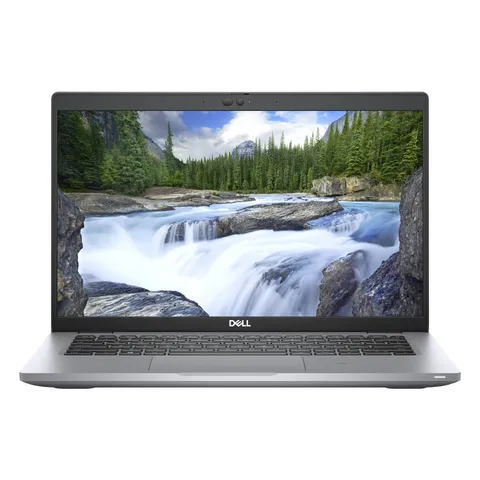
Every refurbished laptop we sell carries a 6-month Shatach warranty, and you can pay by M-Pesa, Airtel Money, card, or on delivery within Nairobi. Orders by 2pm are delivered the same day in Nairobi and its surroundings; elsewhere they go next day to your nearest G4S or Fargo Courier branch (delivery details). Unused items can be returned within 7 days under our returns policy. A good place to start is the () or the Dell Latitude 5420, Core i5 11th Gen, 16GB RAM, 256GB SSD, 14" (KES 32,490), or browse all refurbished laptops.
Frequently asked questions
How do I check the battery health of a refurbished laptop?
On Windows, open Command Prompt, type powercfg /batteryreport, and open the report it saves. Compare Full Charge Capacity with Design Capacity: above 80% is good, below 60% means the battery will need replacing soon. On a MacBook, check the cycle count and condition in System Information, Power.
What does ex-UK laptop mean?
It is a used laptop, usually a business model, that was leased or owned by a company in the UK or Europe and then imported to Kenya for resale after being cleaned and tested. Quality depends on the seller's refurbishing and testing.
How do I know if a laptop has a BIOS password or Computrace lock?
Restart and open the BIOS (F10 on HP, F2 on Dell, F1 on ThinkPad). If it asks for a password, it is locked. Under the Security menu, check whether Absolute Persistence Module or Computrace shows as activated.
How do I check if Windows is genuine on a used laptop?
Go to Settings, System, Activation and confirm Windows is activated. On business laptops you can also check for a firmware licence key with the PowerShell command (Get-CimInstance SoftwareLicensingService).OA3xOriginalProductKey.
How can I tell if a laptop is refurbished or new?
Check the serial number on the manufacturer's warranty site, which shows the original ship date, and run the battery report: a new laptop shows a full charge capacity at or very near design capacity and a cycle count close to zero.